
Most service businesses that invest in marketing automation configure a welcome email and a basic follow-up reminder and then consider the job done. The result is a system that handles the easiest automation scenarios while leaving the highest-value opportunities untouched. The marketing automation workflows that produce the most measurable business impact are those designed around the specific decision points and drop-off moments in a service business’s sales process, not generic nurture sequences copied from platform templates.
This guide covers the most effective marketing automation workflows for service businesses in Dubai and the UAE, how to design them around real sales process stages, and how to connect them to CRM, analytics, and lead generation campaigns for maximum business impact. It also connects to sales pipeline management and workflow automation systems that extend beyond marketing into operations.
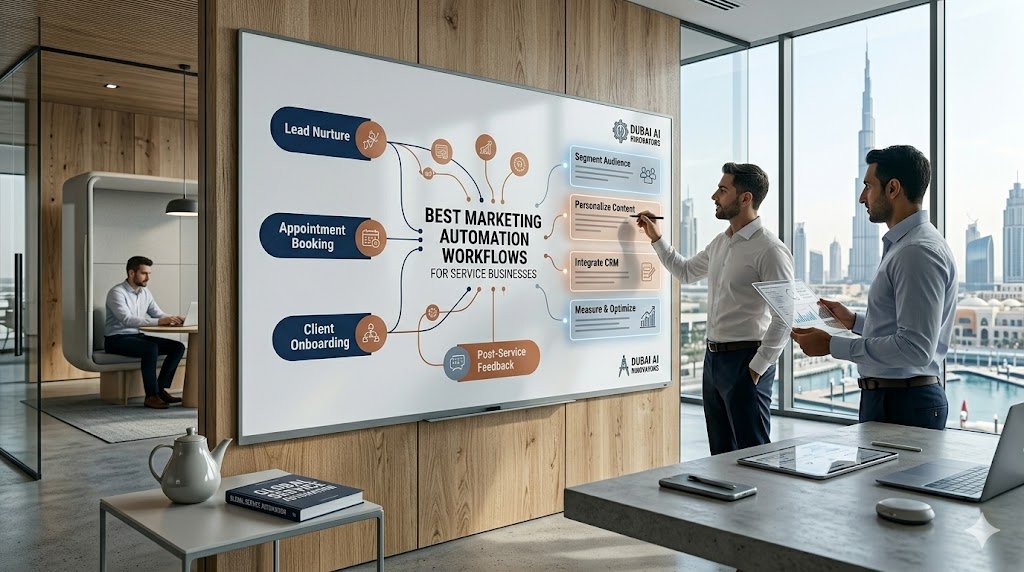
What makes a marketing automation workflow effective for service businesses?
Service businesses sell relationships as much as deliverables. The marketing automation workflows that work best reflect this: they maintain relevance and trust at every stage of the buyer journey without feeling like broadcast email blasts. The difference between automation that converts and automation that gets unsubscribed is how well the workflow matches the specific situation, intent, and needs of the person it is reaching at each moment.
Effective service business automation is also connected to the customer relationship management system in both directions: automation triggers actions in the CRM, and CRM stage changes trigger automation. Without this bidirectional connection, automation and sales operate independently and eventually conflict.
The seven most impactful marketing automation workflows for service businesses
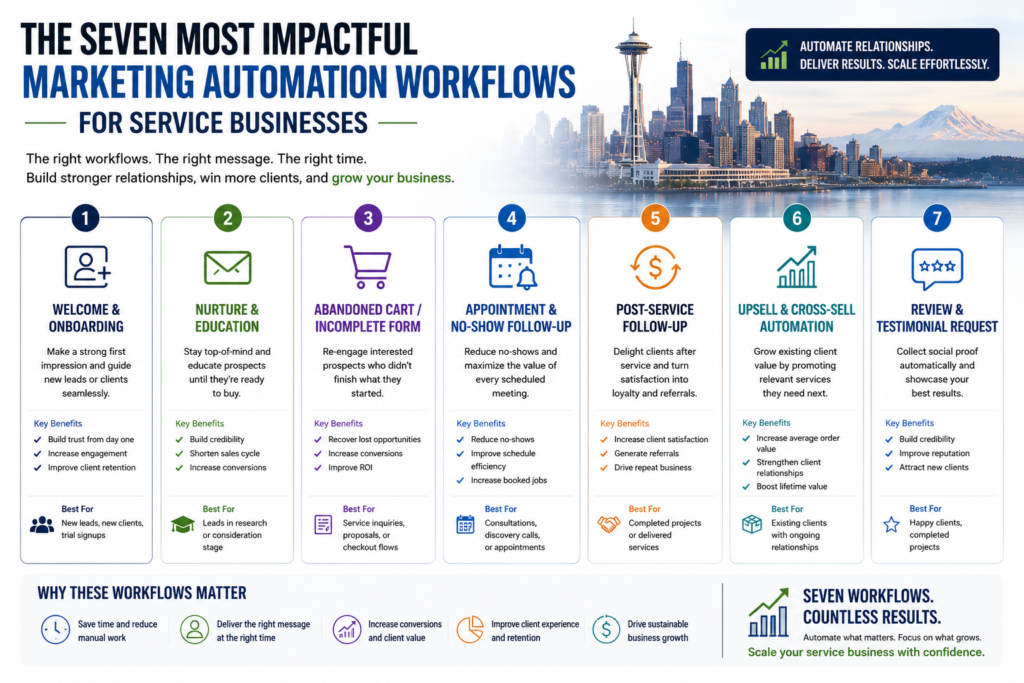
1. Immediate lead response workflow
This is the highest-impact marketing automation workflow for most service businesses, and the one most consistently executed poorly. When a lead submits a contact form or landing page form, the workflow should trigger within seconds: a confirmation email that sets expectations about response time, a CRM record created with source data and form responses, a task assigned to the responsible salesperson with a due date, and a manager notification if the task is not completed within a defined window.
The business impact is immediate: leads contacted within five minutes of submission have significantly higher conversion rates than those contacted hours later. Automation does not replace the human call — it ensures the human call happens quickly and consistently regardless of when the lead arrives.
2. Lead nurturing sequence for unconverted contacts
Not every lead from your SEO or PPC campaigns is ready to buy immediately. A nurturing workflow keeps the business visible during the consideration period through a sequence of relevant, useful touchpoints over four to eight weeks. The content should educate and build trust rather than push for a meeting at every step.
For Dubai service businesses, a strong nurturing sequence typically includes two to three educational emails in the first two weeks, a case study or relevant example in week three, a soft offer (free consultation, assessment, or audit) in week four, and a re-qualification question in week six to assess whether the timing has changed. See our lead nurturing automation examples for concrete sequences you can adapt.
3. Pipeline stage-triggered workflows
When a lead moves to a new stage in the CRM pipeline, marketing automation workflows should trigger actions appropriate to that stage. When a lead is marked “proposal sent,” a follow-up email with a supporting case study or FAQ should go out automatically three days later if there has been no response. When a lead is marked “negotiation,” a task should be created for the salesperson to schedule a follow-up call within 48 hours.
These stage-based triggers create process consistency across the sales team. The right action happens at the right stage regardless of which salesperson is managing the opportunity.
4. Re-engagement workflow for cold leads
Leads that showed initial interest but went dark represent a recoverable revenue opportunity that most service businesses ignore after two or three unanswered follow-ups. An automated re-engagement workflow — a targeted form of drip marketing — triggered by inactivity (typically 45–60 days with no CRM activity) can recover a meaningful percentage of these leads with minimal manual effort.
A simple re-engagement sequence might include a “checking in” email that references the original inquiry, a second email two weeks later offering something of value with no sales pressure, and a final email two weeks after that asking directly whether the timing is right or whether the contact should be removed from follow-up. Leads that respond at any point are returned to active follow-up; those that do not are archived rather than cluttering the active pipeline.
5. Client onboarding workflow
When a deal is marked closed won in the CRM, the onboarding workflow begins automatically. This typically includes a welcome email from the account manager, a kickoff meeting booking link, an introduction to relevant team members, and a structured series of onboarding steps that ensure the client has everything they need to begin the engagement without waiting for manual coordination.
A consistent onboarding experience is one of the most reliable drivers of client retention and referrals, and it is one of the highest-value marketing automation workflows to build because the manual coordination it replaces is both time-consuming and inconsistent.
6. Review and referral request workflow
Triggered 30–60 days after a project milestone or the start of an ongoing engagement, this workflow sends a satisfaction check-in and, for clients who indicate high satisfaction, an automated request for a Google review or a referral introduction. The timing and phrasing can be personalized based on CRM data about the client’s service type and engagement history.
7. Upsell and cross-sell workflow for existing clients
Based on the services a client is currently using, the CRM can trigger an automation that introduces relevant additional services at appropriate intervals. A client using only SEO might receive a case study about the combined impact of SEO and PPC six months into the engagement, with a soft offer for a complementary audit. This marketing automation workflow leverages existing trust relationships to increase revenue per client without requiring manual outreach from the account team for every cross-sell opportunity.
| Workflow | Trigger | Estimated business impact |
|---|---|---|
| Immediate lead response | Form submission | Higher lead-to-meeting conversion rate |
| Lead nurturing | Lead created, no purchase intent | More leads converted over longer periods |
| Pipeline stage triggers | CRM stage change | Consistent sales process across team |
| Re-engagement | 60 days inactivity | Revenue recovered from dormant leads |
| Client onboarding | Deal closed won | Better retention, fewer early-stage churn events |
| Review and referral | 30–60 days post-start | More reviews and referral introductions |
| Upsell / cross-sell | Tenure milestone or service gap | Higher revenue per client without manual effort |
Ready to build automation workflows for your service business?
DevedUp Business & Marketing designs and implements marketing automation workflows for service businesses in Dubai and the UAE, covering all seven workflow types above, plus integration with CRM, analytics, and lead generation campaigns. If you want to understand which workflows would have the most impact on your specific sales process, contact the team for a workflow audit.
Frequently asked questions
How many marketing automation workflows does a service business need?
Start with the three that address the highest-impact problems: immediate lead response, lead nurturing, and re-engagement. These three marketing automation workflows together cover the most common failure points in service business lead management. Add pipeline stage triggers and client onboarding in the second phase, and review/referral and upsell workflows in the third phase as the system matures.
How do I connect marketing automation to my CRM for a Dubai service business?
Most major marketing automation platforms offer native integrations with popular CRM systems. HubSpot has its own built-in CRM. ActiveCampaign integrates natively with Pipedrive and Salesforce. For platforms without native integration, tools like Zapier or Make can connect most automation platforms to most CRMs. The integration should pass lead data, engagement events, and stage changes bidirectionally so that both systems stay synchronized. Our guide on how CRM and marketing automation work together explains this setup in more detail.
Can marketing automation replace the sales team in a service business?
No. Marketing automation handles the structured, repeatable touchpoints that do not require judgment or relationship management. The sales team handles qualification conversations, proposal customization, negotiation, and the relationship-building that drives client retention and referrals. Automation reduces the manual administrative overhead around sales without replacing the human elements that are central to closing and retaining service business clients.
What is the most important marketing automation workflow for a service business?
The immediate lead response workflow is the single highest-impact automation for most service businesses. Leads contacted within minutes of submitting a form convert at far higher rates than those contacted hours later, and automation guarantees that fast, consistent first response regardless of when the lead arrives or who is available. If a service business can only build one workflow, this is the one to start with.
Which platforms are best for marketing automation workflows in the UAE?
For most UAE service businesses, HubSpot is the most practical all-in-one option because it combines CRM and automation in one system. ActiveCampaign and Brevo are strong, lower-cost alternatives for email-led automation, and both integrate with common CRMs. The right choice depends on whether the business needs a built-in CRM, the size of its contact list, and which channels (email, SMS, WhatsApp) the marketing automation workflows must cover.